Cannot install Monthly Update
If the eMIMS Classic monthly update is not working then here is a solution to try…
It is most likely the customer’s antivirus protection is blocking it. Even downloading it from the website is triggering protection in my browser that did not happen previously.
Double-clicking on a program with no response is not normal. On my computer at home, my virus protection kicks in and blocks it initially. Once it confirms it is OK, it allows it to run. What exactly happens depends on the antivirus program in use.
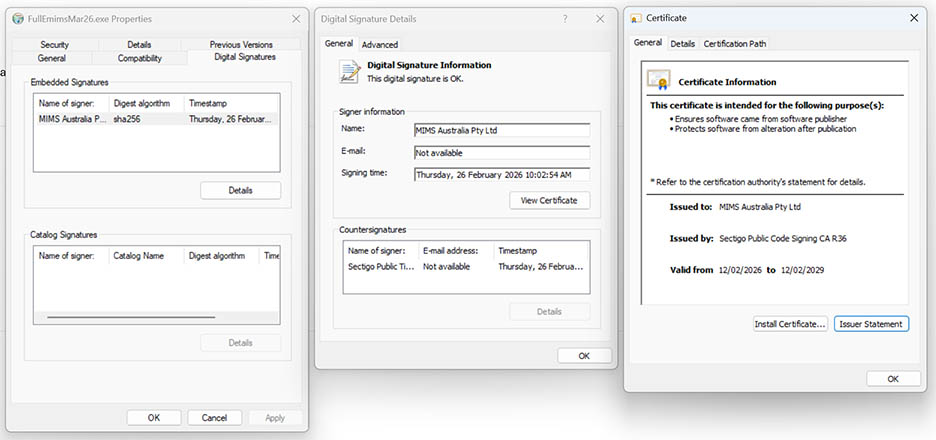
To be sure the program is downloaded without error, you could right-click on it and view the properties. If you can view the Digital Signature, you could verify that the download is not corrupted.